Changing Your Password
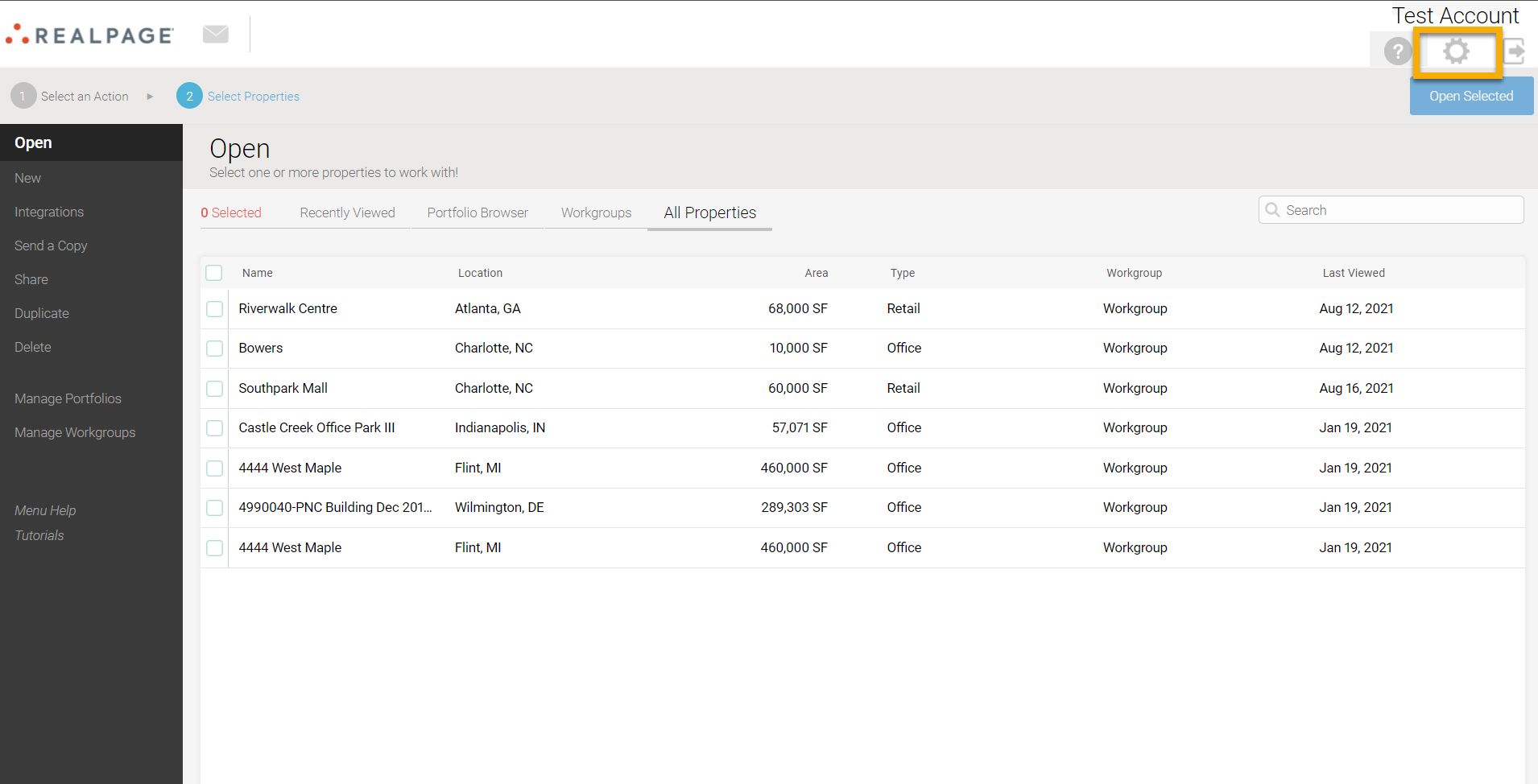
From the home screen, select the settings gear wheel located on the upper-right side of the page, under your account name:
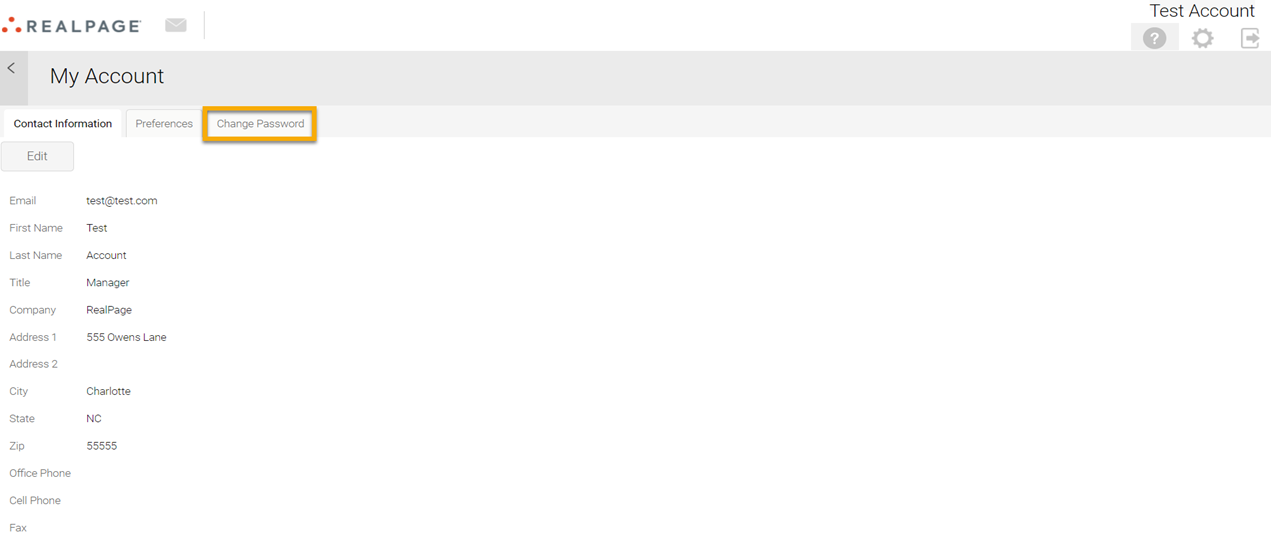
Select the Change Password tab:
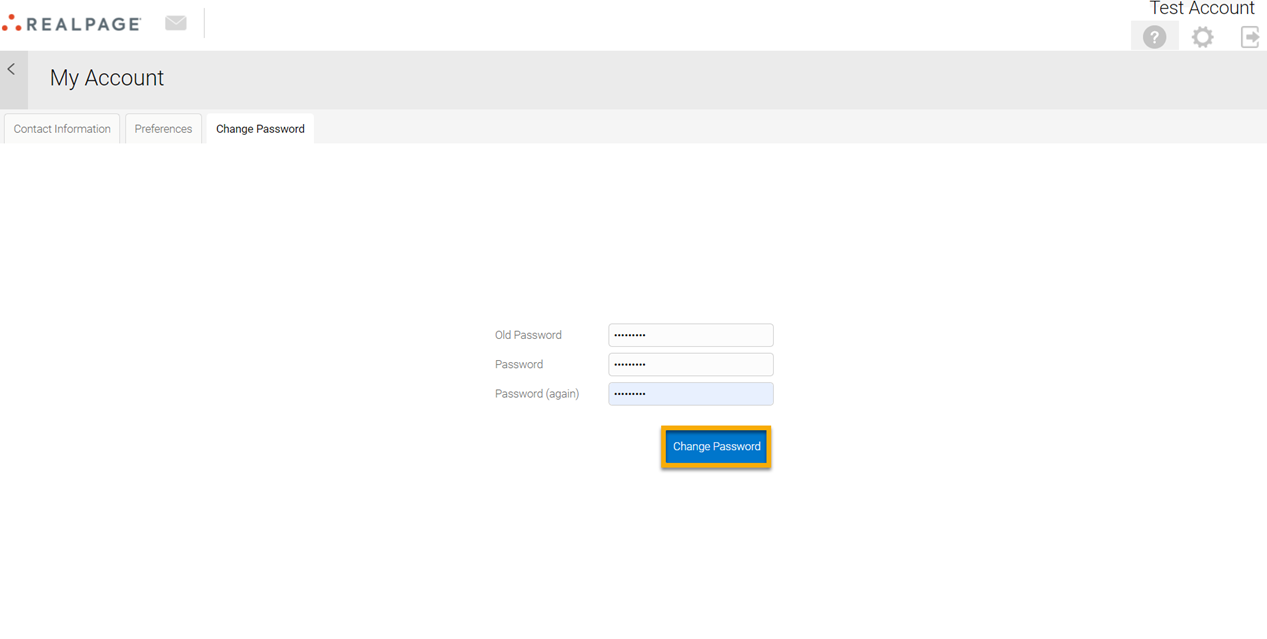
Enter your old password. Next, enter your new password and re-enter the same password again. Select Change Password: