Create a Portfolio
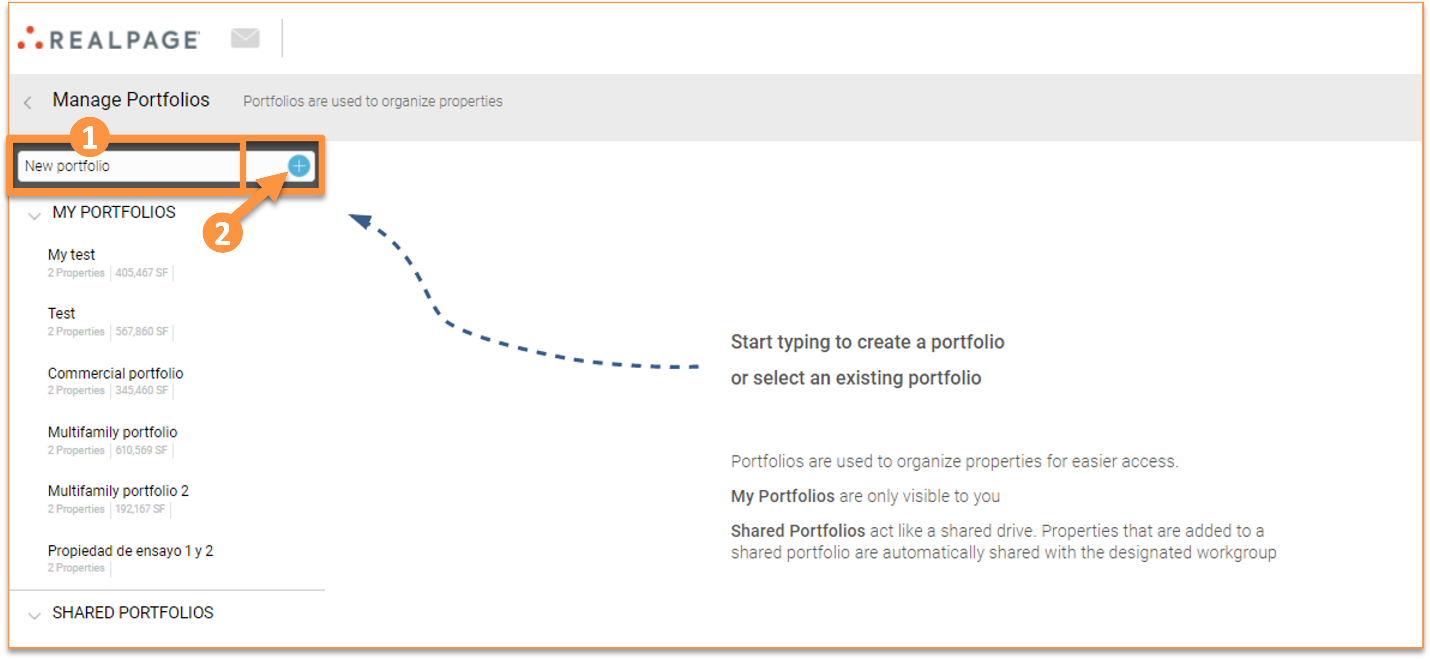
To create a portfolio, go to “Manage Portfolios” from the Home page, type the name of the portfolio in the “+ New portfolio” option, and click in the “+” button.
Once the portfolio is created, select “Add Properties” to manage the properties you want include in the portfolio.
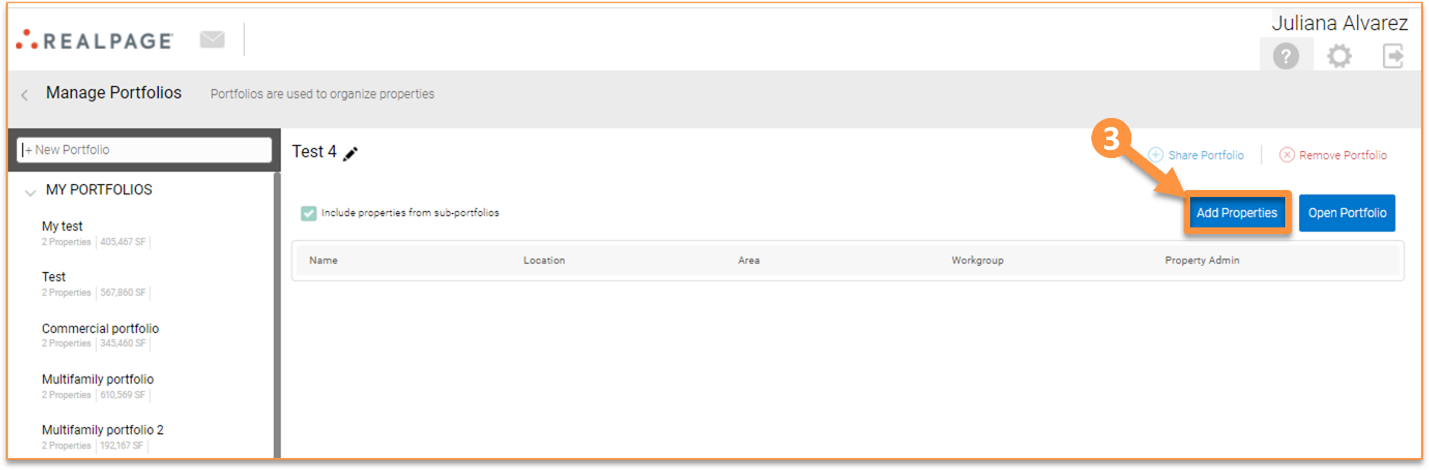
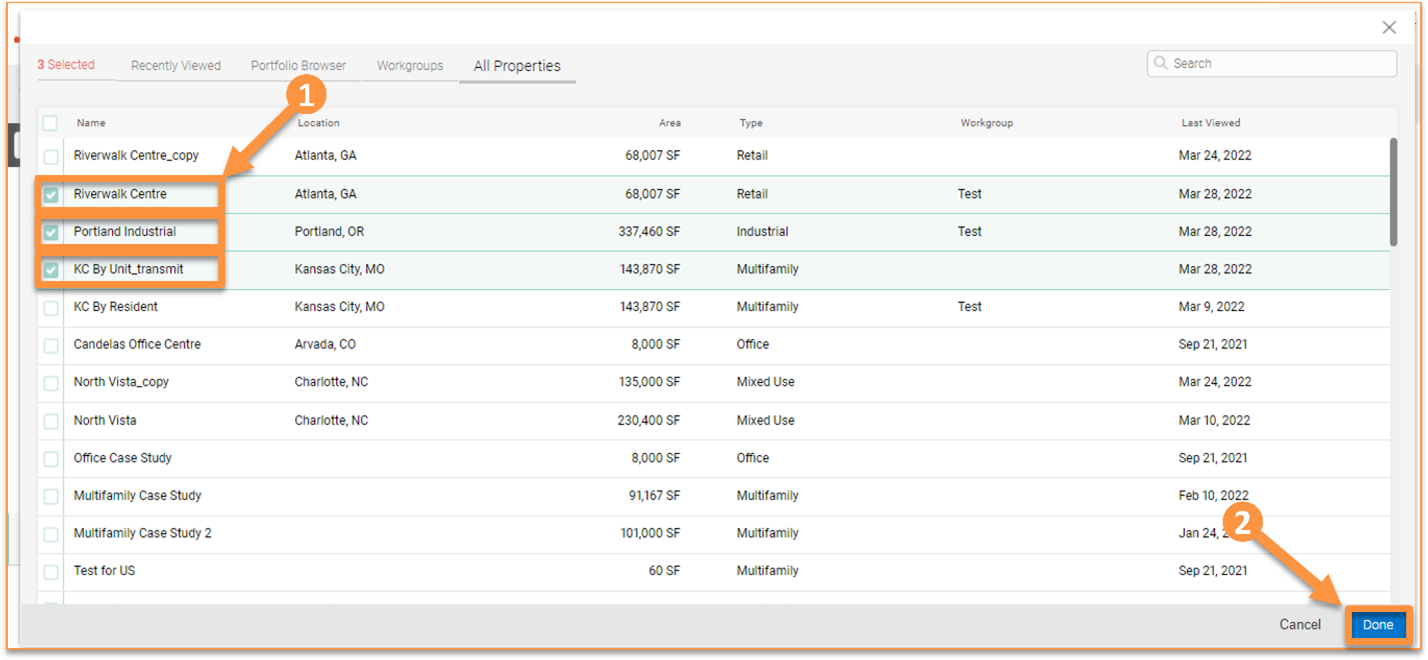
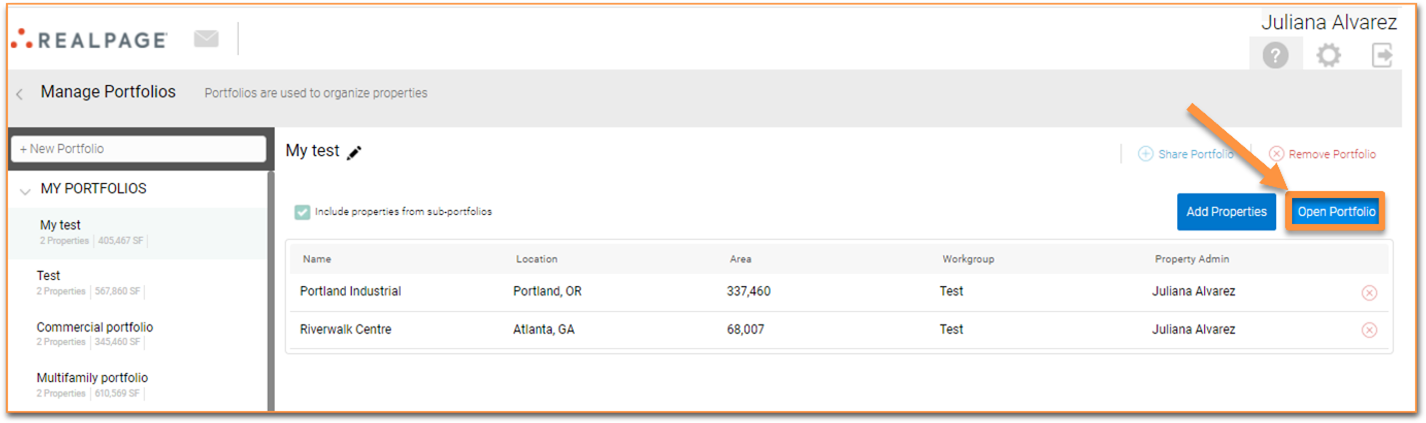
After selecting the properties, click “Done” to add them to the portfolio. You can now open the portfolio by clicking “Open Portfolio.”
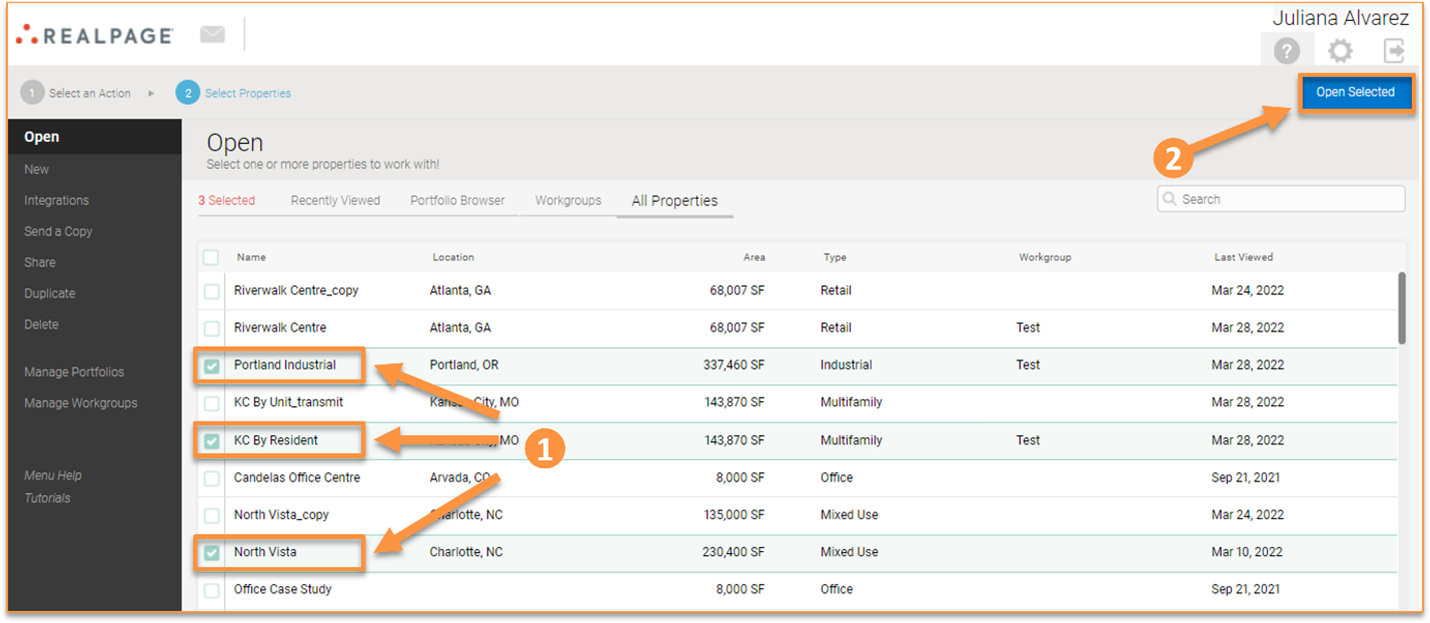
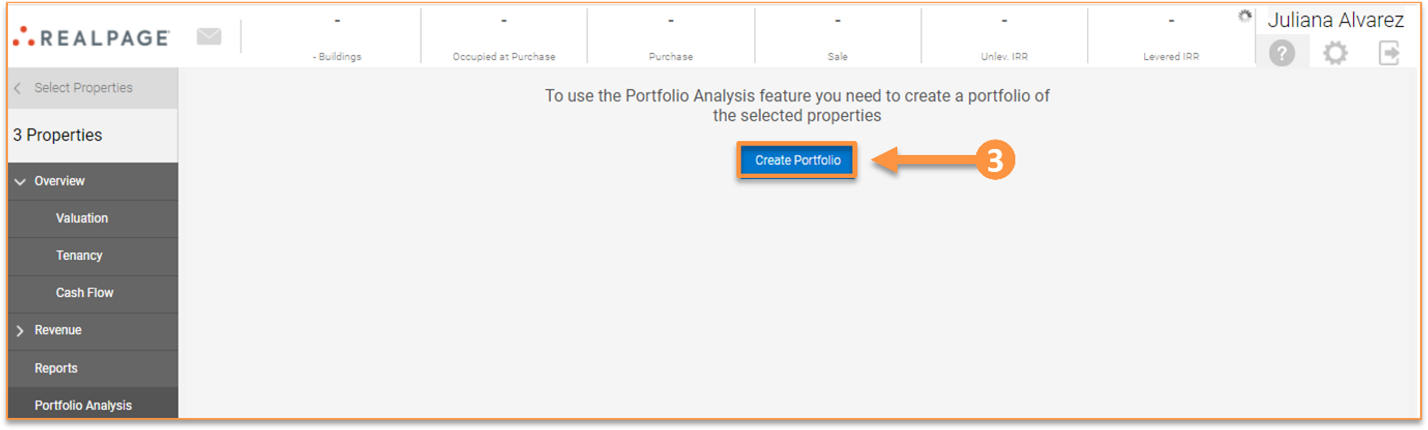
The other way to create a portfolio is by going to the “Open” section from the Home page and select several properties at the same time, then click in “Open Selected” button. Once they are opened, in the tab “Portfolio Analysis” you will see the option to create a portfolio.