Sharing Portfolios
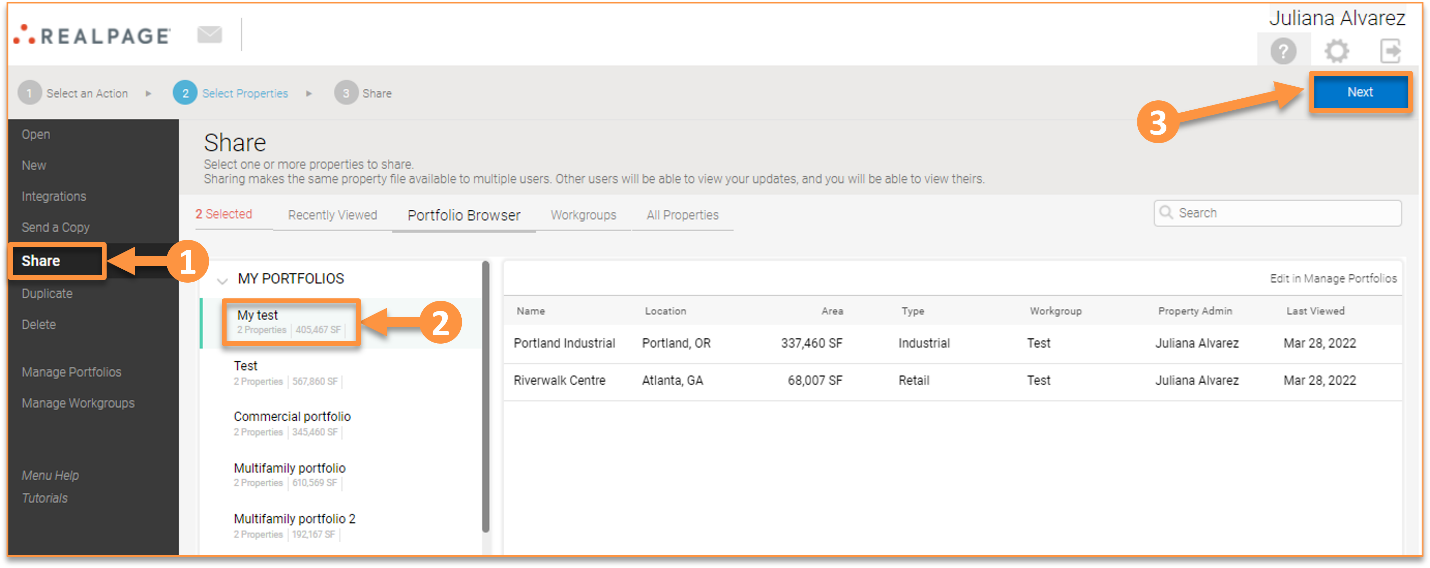
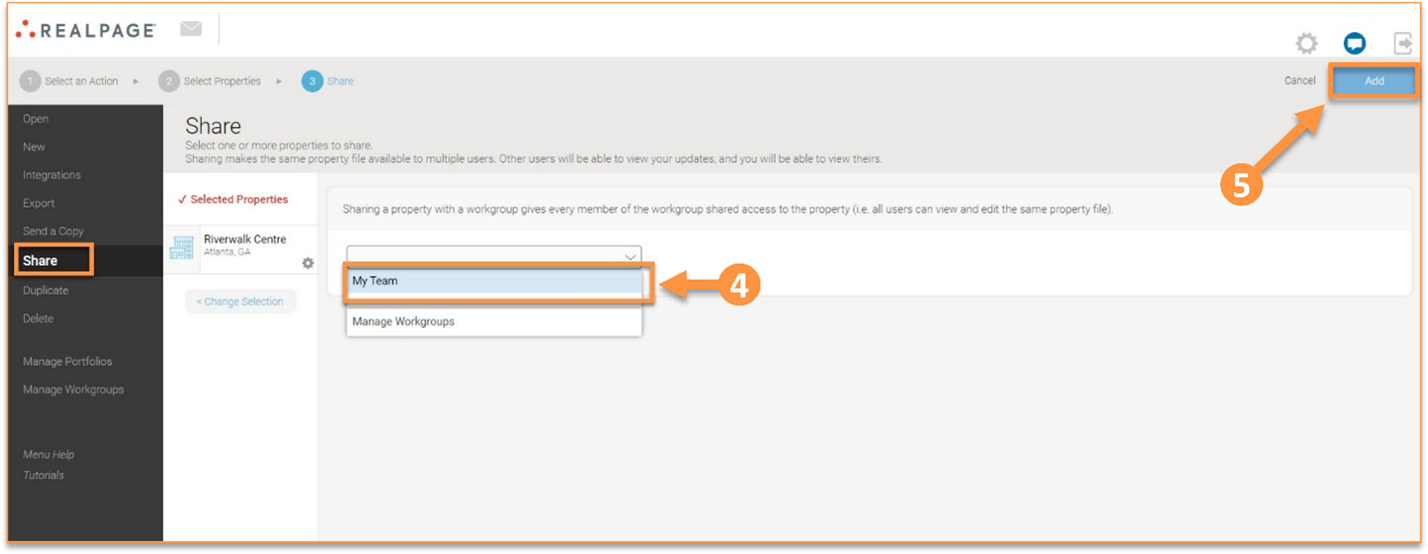
Portfolios can only be shared with workgroups. To share a portfolio, select “Share” from the action panel on the home screen and select the portfolio you wish to share. Next, select the workgroup that you wish to share the portfolio with from the dropdown list and click “Add.”
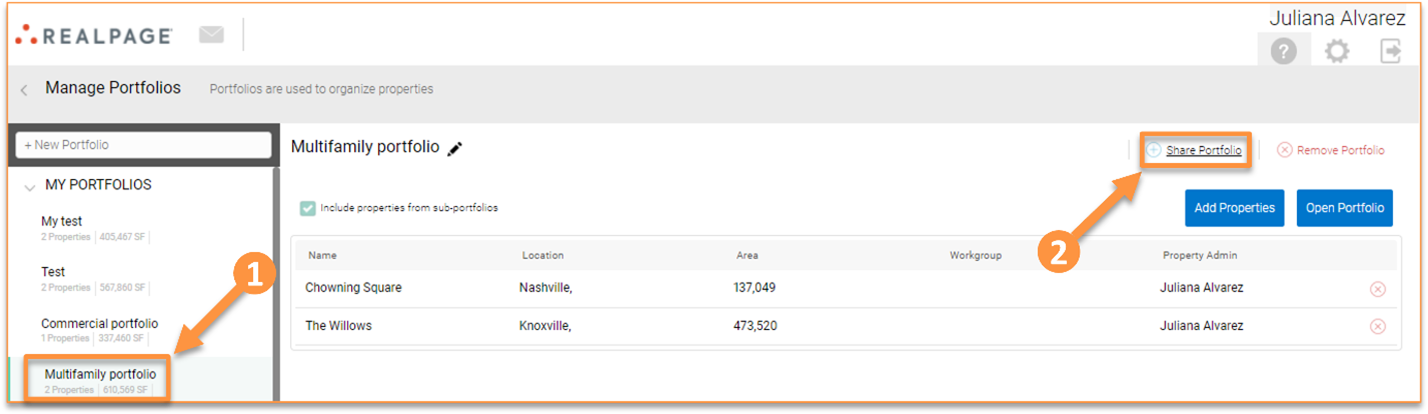
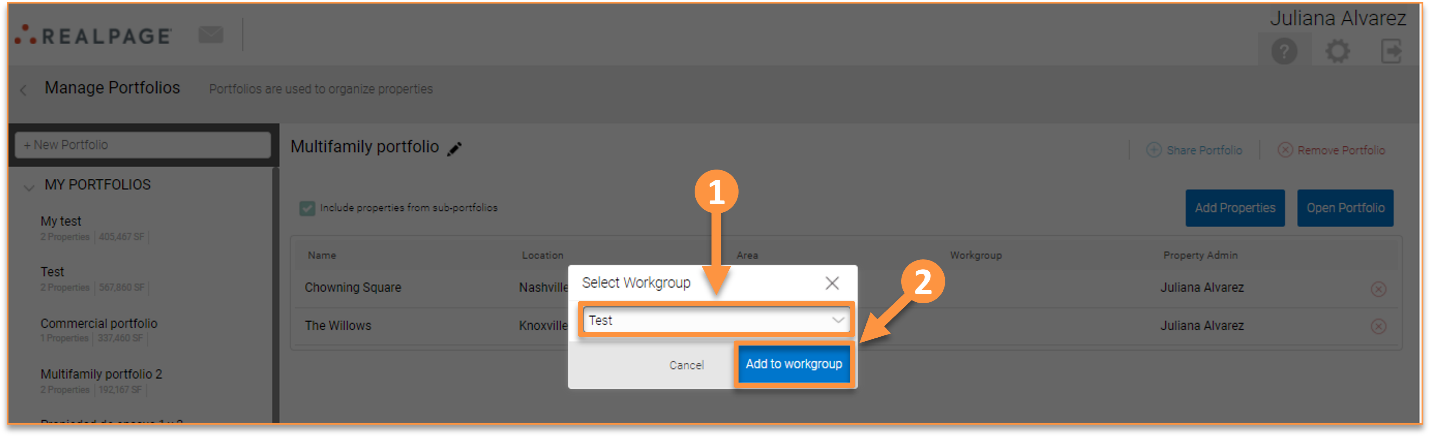
You can also share a portfolio from the “Manage Portfolios” section. To do this, go to the Home page, select “Manage portfolios”, select the portfolio you want to share, and click “Share Portfolio.”
Please note for optimal collaboration between teammates, you can create a Workgroup for adding and sharing people, properties, or portfolios.