Configure a Portfolio
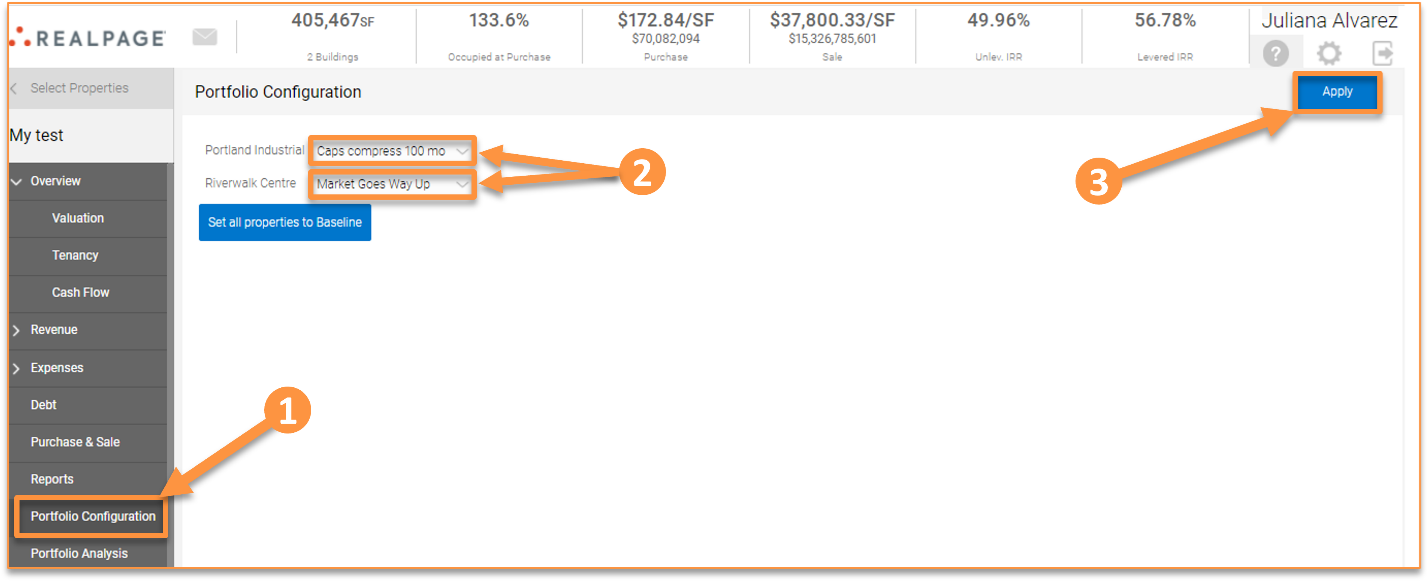
Once you have opened the portfolio, go to the “Portfolio Configuration” tab to select which sensitivities should be used for each property. This allows you to dynamically change any sensitivity for any property in the portfolio at any given time. You can also set all sensitives to the “baseline” scenario. Once your selections are made, click “Apply” to save your changes.