Open a Portfolio
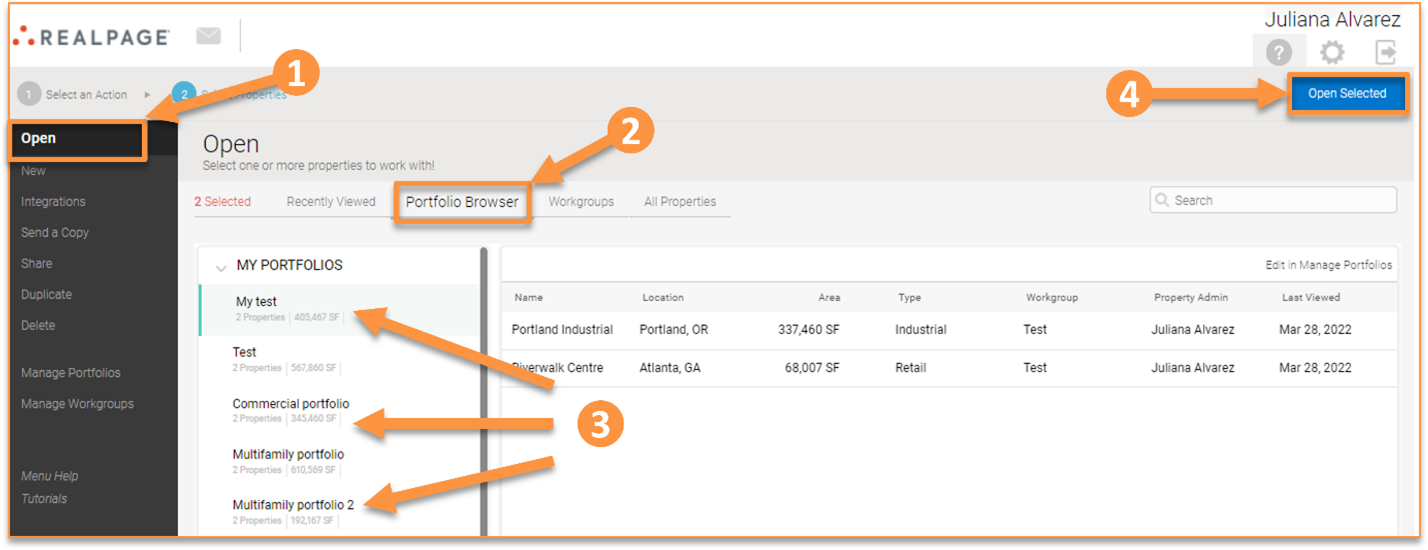
To open a portfolio, go to the “Open” section of the Home page and click “Portfolio Browser.” Select the portfolio you want to open and then click in “Open Selected.”
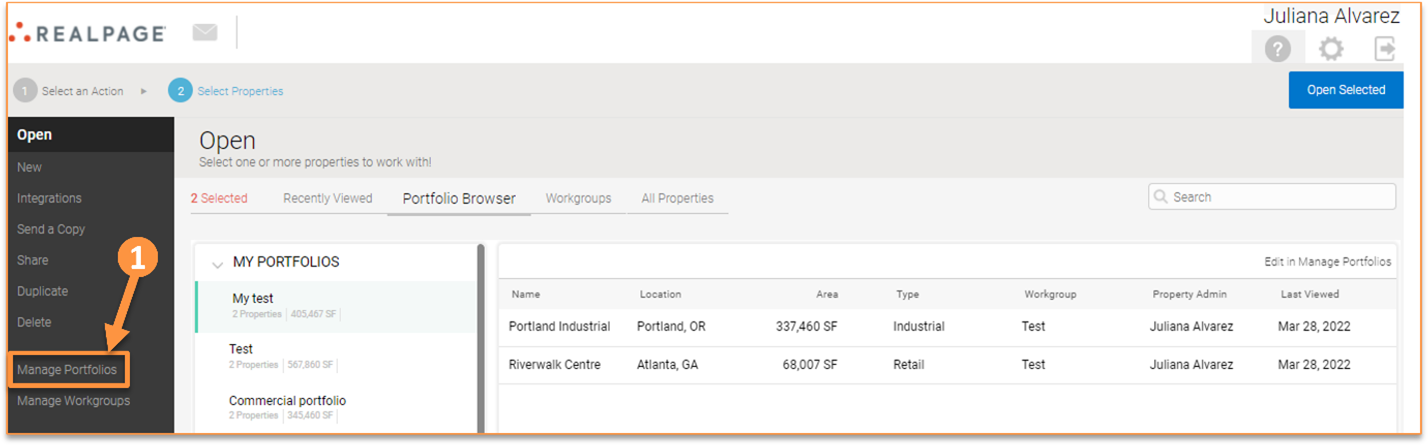
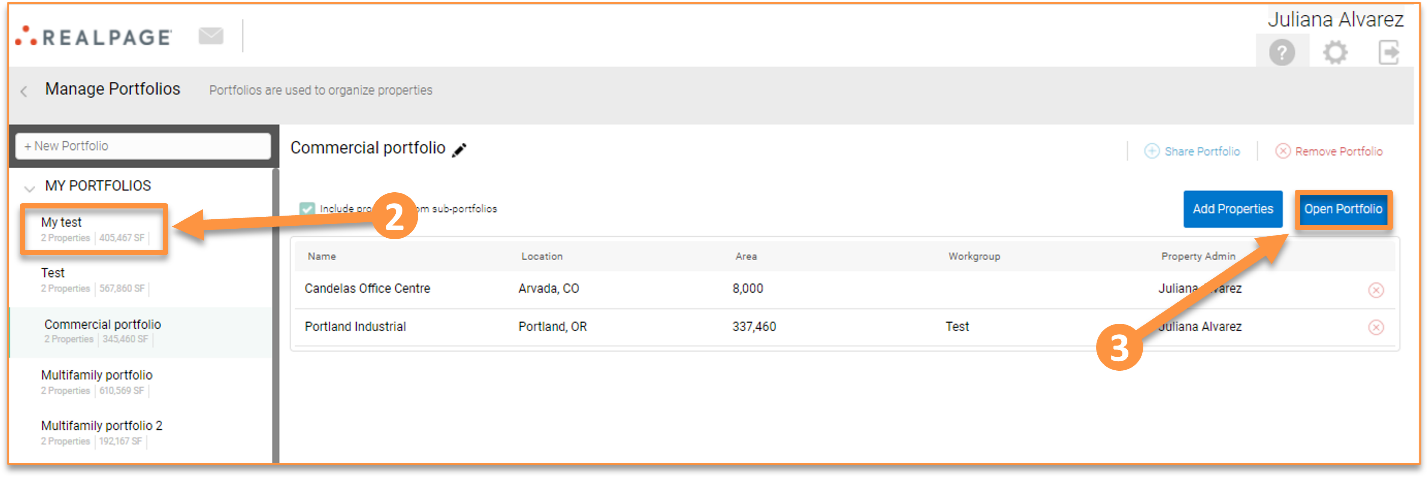
You can also go to “Manage portfolios” from the Home page, select the portfolio you want to open, and click “Open Selected.”
Once your portfolio is open you can observe that all metrics are calculated for the portfolio. Cash Flows, Rent Roll, Other Revenue, and Expenses are shown for the portfolio. Bear in mind that you cannot add Leases, Other Revenue, or Expenses at the portfolio-level. Also, the option for Debt and Purchase & Sale are not available.