Add Properties to an Existing Portfolio
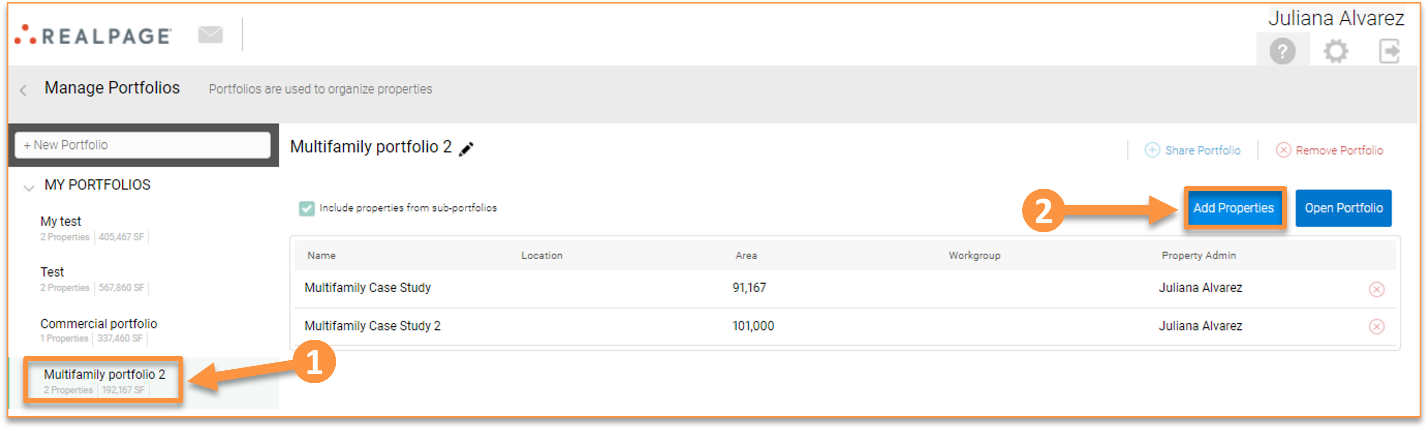
To add properties to an existing portfolio, go to the Home page, click “Manage portfolios”, select the portfolio you want to add the property to, and click “Add Properties.”
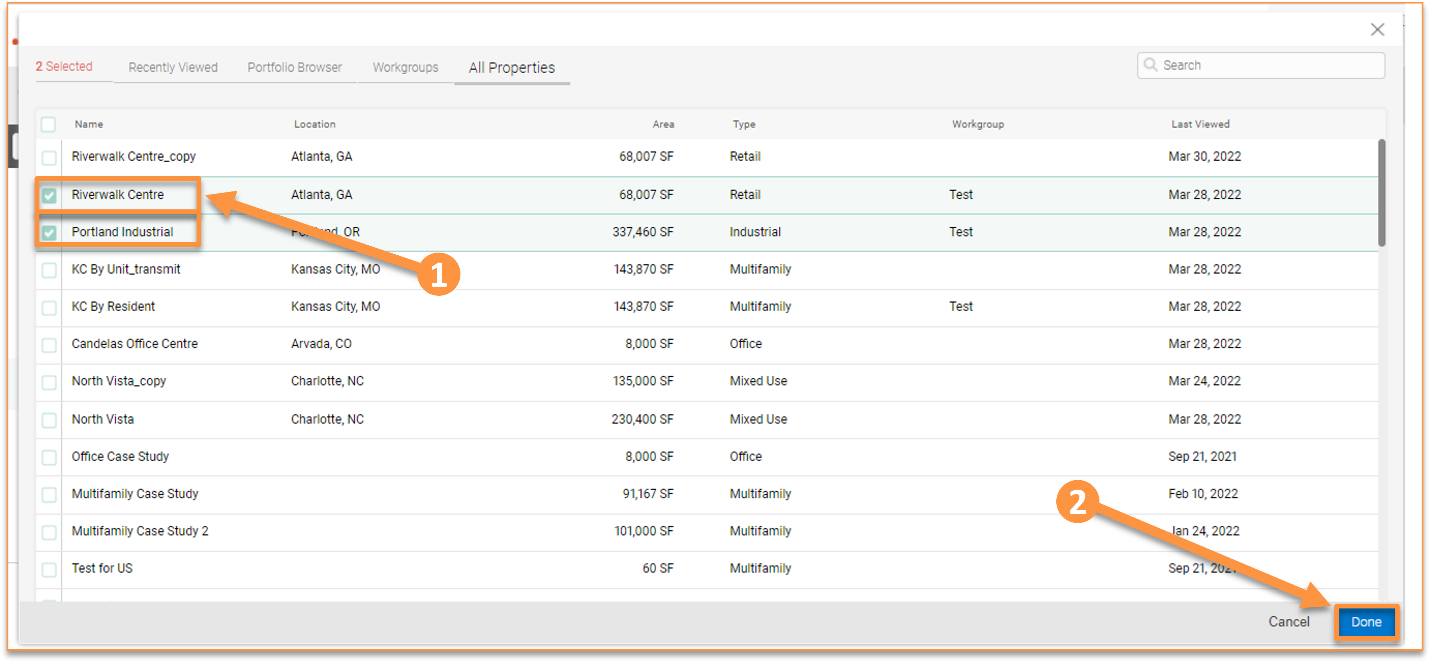
A window will open that allows you to make your selections. Once your property selections are made, click “Done.”