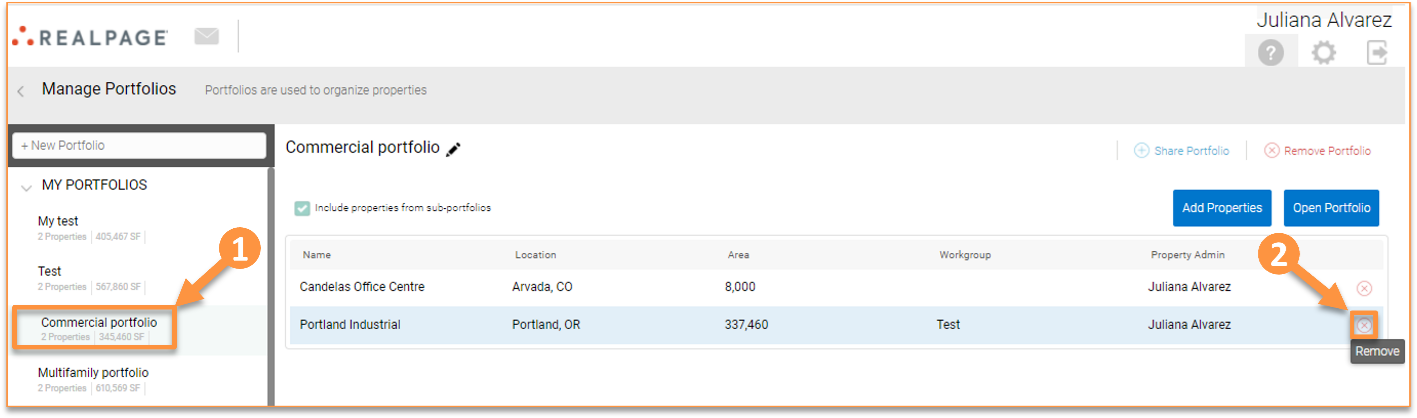
Deleting Properties from a Portfolio and Deleting Portfolios
You can delete properties from a portfolio, and you can also delete the whole portfolio. To delete a property from a portfolio, go to the Home page, click “Manage portfolios”, select the portfolio you want to delete, and click in the “x” icon.
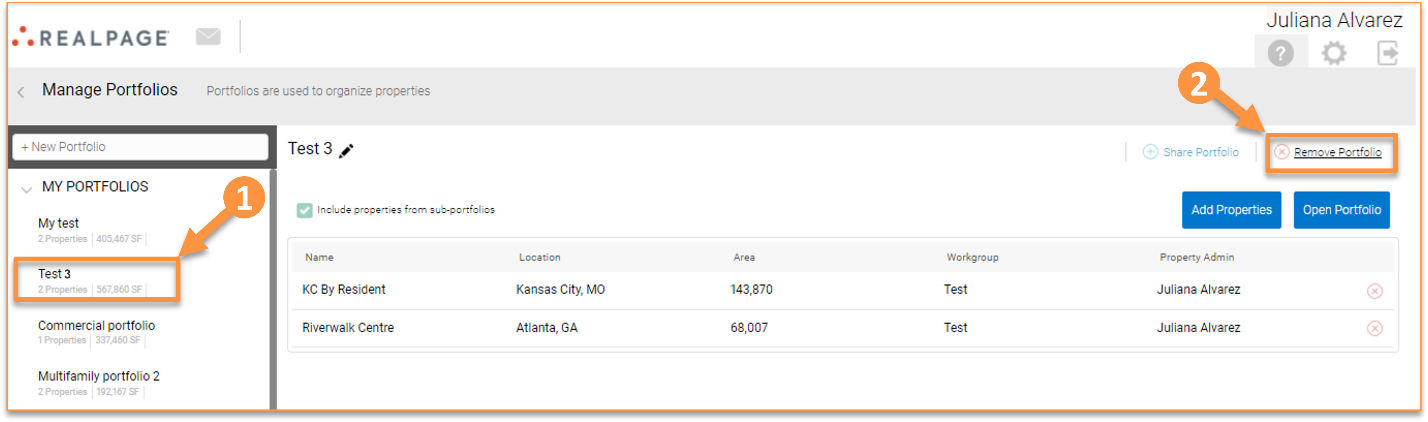
If you have Market Assumptions or Purchase & Sale assumptions created at the portfolio level for the property being deleted, you will get this message:
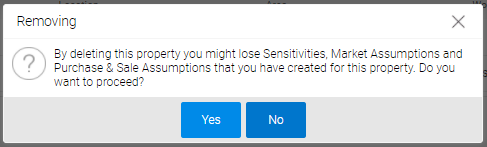
To delete a portfolio, go to the Home page, click “Manage portfolios”, select the portfolio you want to delete, and click “Remove Portfolio.”