Creating Expenses
Create Building Expenses:
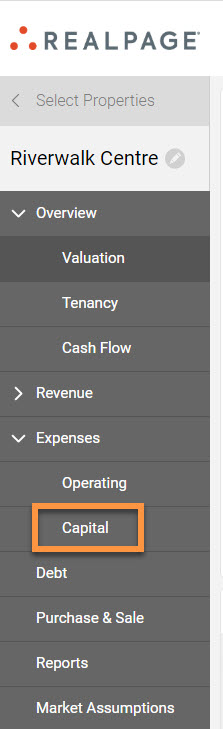
Operating Expenses can be modeled by clicking “Expenses” then “Operating” on the left navigation menu from within the asset that you are working on. Note the ability to Import, add a New Sub Category, or select your New Expense:
There are three standard reimbursable expense setups in FUEL:
- Standard
- % of Value
- Property Tax
*Note: You can also create a custom expense subcategory by clicking the "New Sub Category" button.
Click the “New Expense” button to quickly go to “Standard, ”% of Value,” or ”Property Tax”:
Standard Expense:
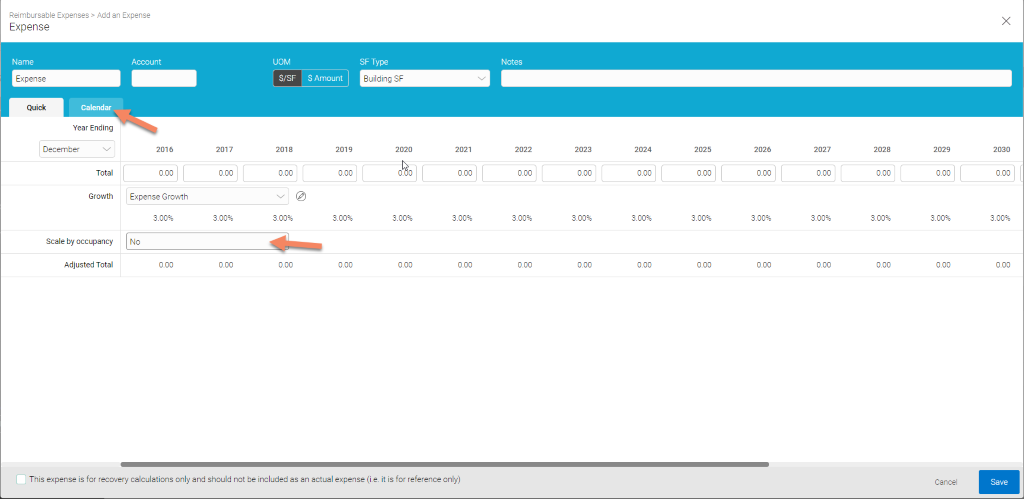
To set up a Standard Reimbursable Expense, select the “New Expense” button or click the arrow then select “Standard”:
Pro Tips:
- Quick (tab): use this tab to enter yearly expense amounts
- Calendar (tab): use this tab if your expense varies on a monthly basis
- Tick the box at the bottom of the page if this is a reference account
- Scale by occupancy: will determine the denominator used for the variable expense calculation
- % Fixed: use for variable expenses
% of Value Expense
To model expenses that are allocated based on percent, such as management fees, click the arrow on the “New Expense” button and select “% of Value”:
Pro Tips:
- Tick the box at the bottom of the page if this is a reference account
- Adjusted Gross Revenue is the same as Effective Gross Revenue
- Detailed Selection: is used if the expense is a percent of another expense
- Additional cash flow items are available after clicking “ > ” next to Unlevered/Levered
- If any Expense varies over time, this can be input by clicking on Varies
Property Tax Expense
Begin modeling Property Tax Expenses based on a % of the purchase price by clicking the arrow on the “New Expense” button and selecting “Prop. Tax”:
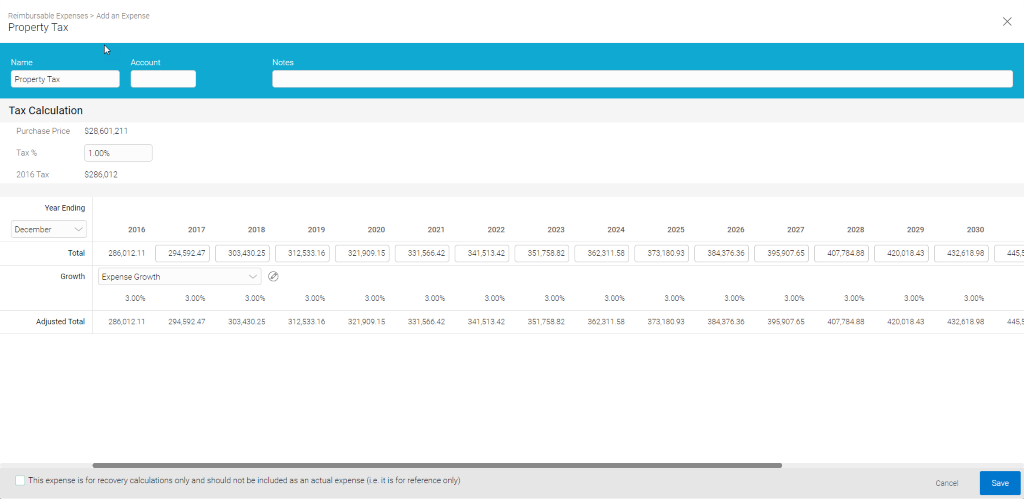
In the example above, property taxes are reassessed at 1% of the purchase price.
Pro Tips:
- The property tax expense automatically calculates based on value of the property
- The FUEL calculation eliminates the need to try multiple manual entries to approximate property taxes
Capital Expenses
You can create new Capital Expenses and edit existing ones by clicking 'Expenses' then 'Capital' on the left navigation menu: