How to Model Free Rent
To Model Free Rent For a Specific Lease
To enter the number of months of free rent directly from the quick or detailed input, simply navigate to the Rent Roll tab from the action panel of the property.
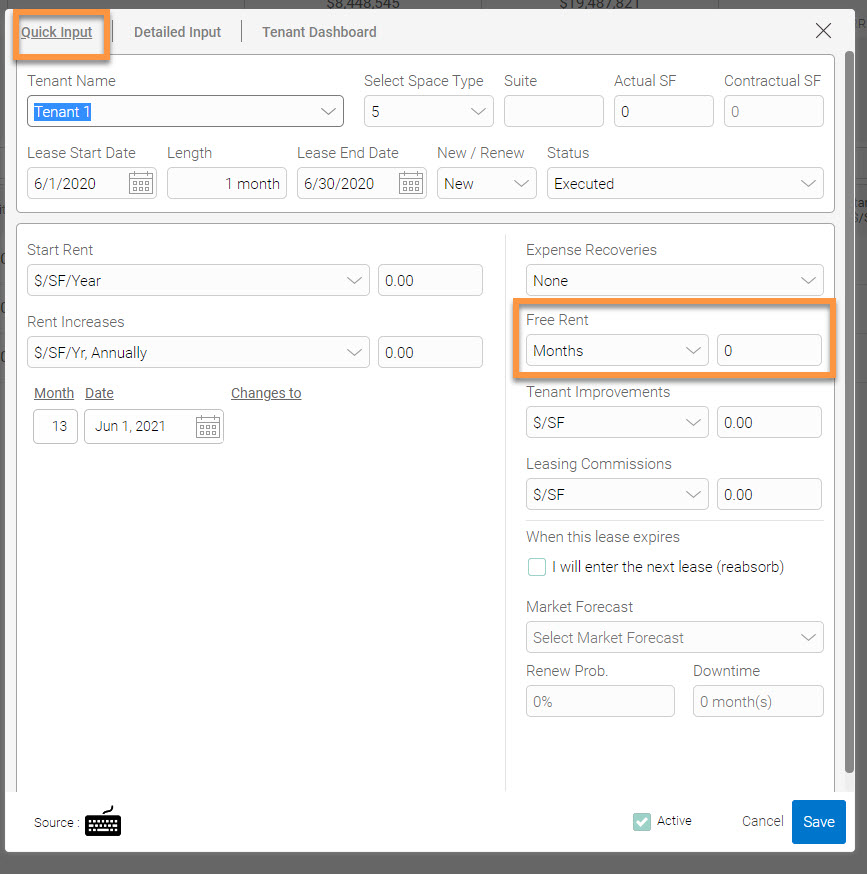
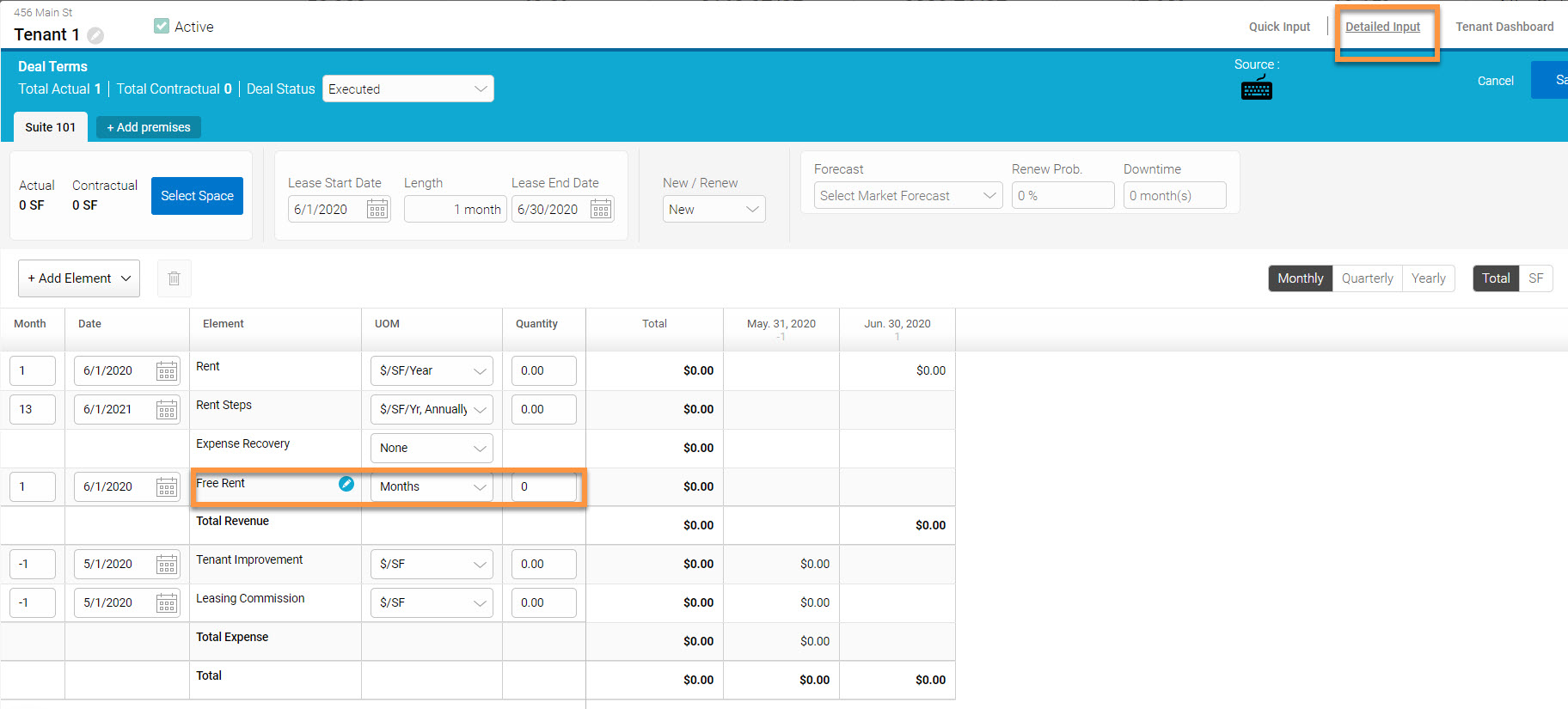
To Model Free Rent For a Leasing Forecast
Create a free rent scenario from the market assumptions section by clicking 'Market Assumptions' from the left-hand actions panel, then find 'Free Rent' and click '+New':
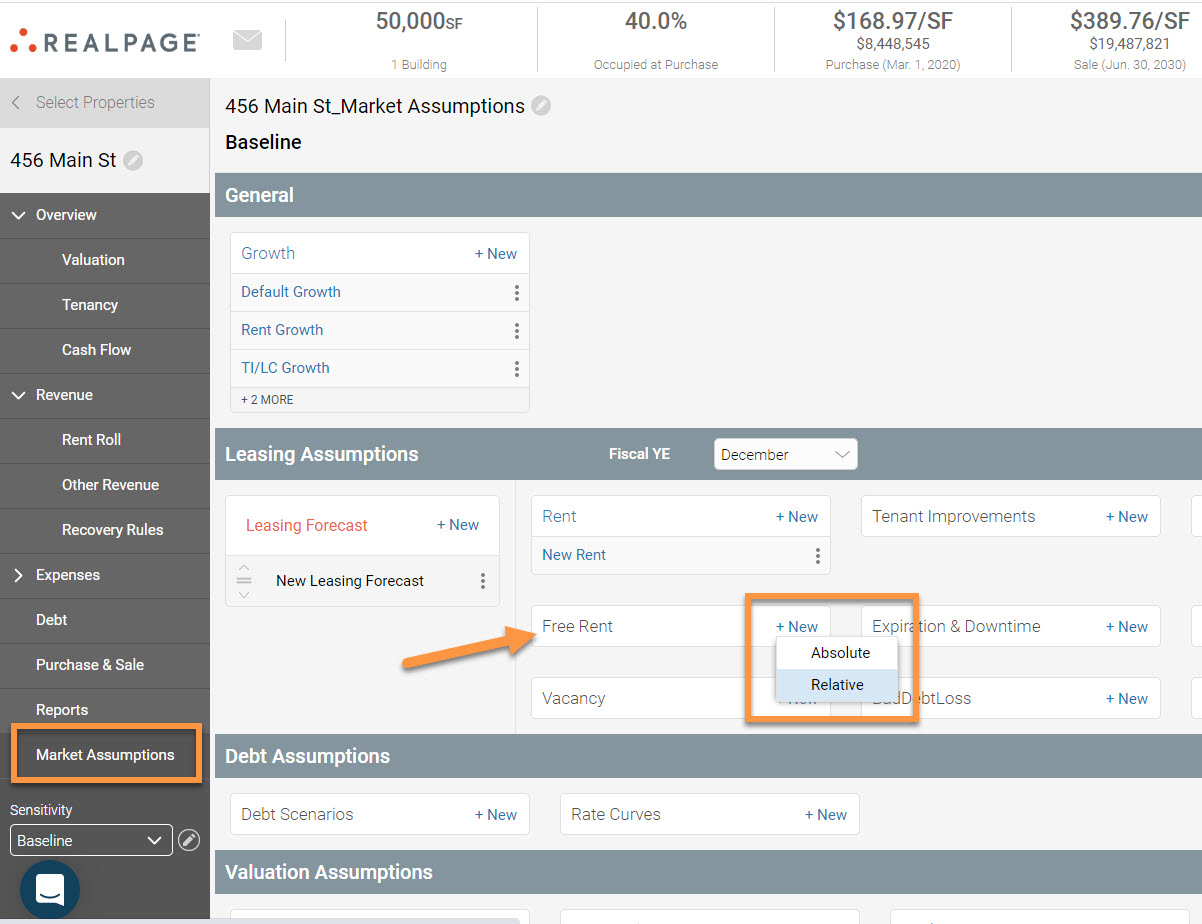
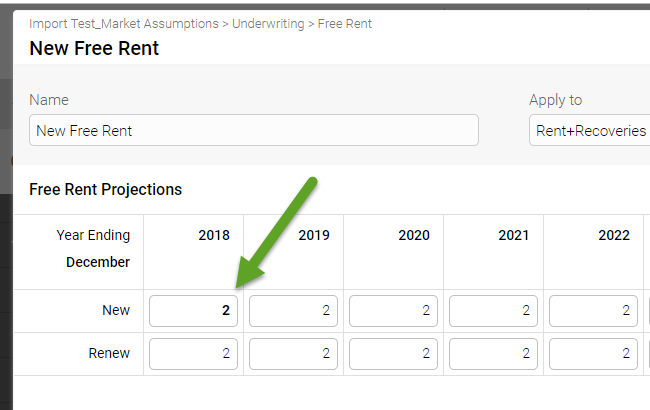
The absolute option only applies the months of free rent to the leases that have start dates or renewals on the years specified in the free rent projections table. e.g.: If we have 2 months of free rent for new leases in the year 2018, the leases that start in 2018 will have the free rent applied.
The relative option applies the months of free rent regardless of the lease’s start date. You can also specify the months for which you want the free rent to be applied.
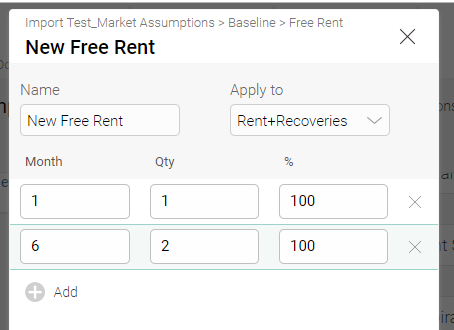
The previous image states that 1 month of free rent will be applied at the start of the lease, and 2 months of free rent will be applied starting in month 6.