Creating a Sale Scenario
When you have created a new asset and entered in your cash flows, you will want to then create a Purchase & Sale Scenario.
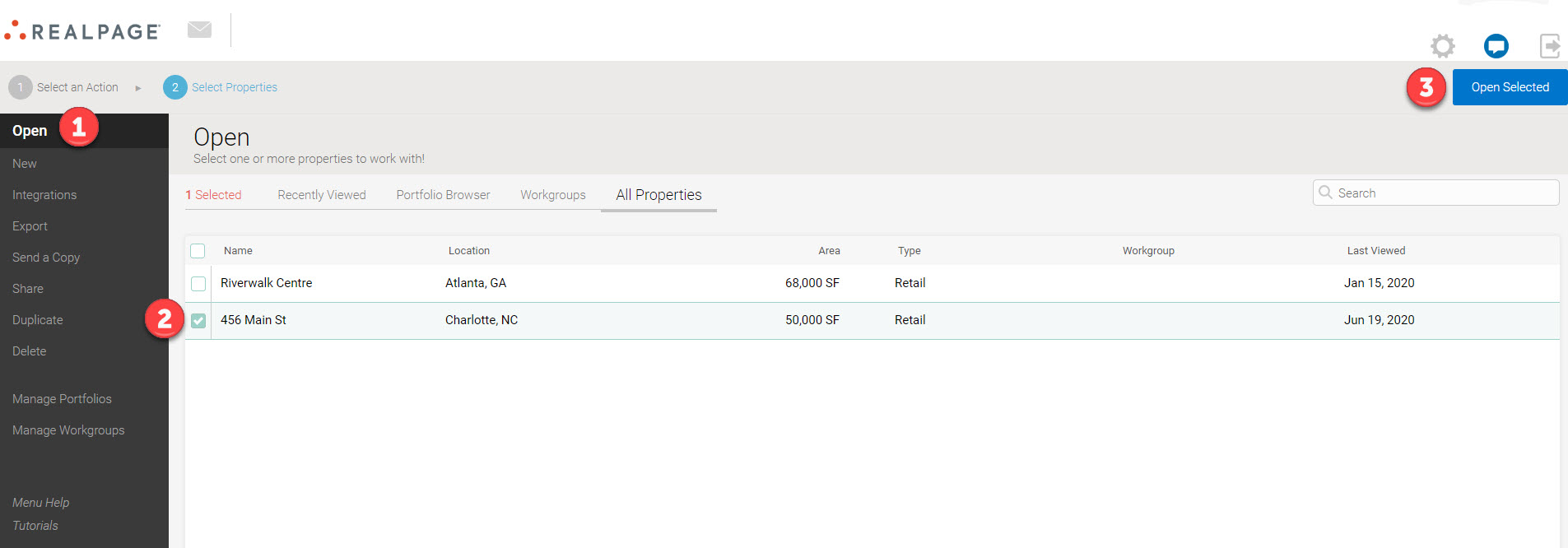
First, open the asset that you would like to create the scenario for by navigating to Open>All Properties>select property>Open Selected.
Next, navigate to the Purchase & Sale page from the left-side Actions Panel and click "Edit" in the top left corner.
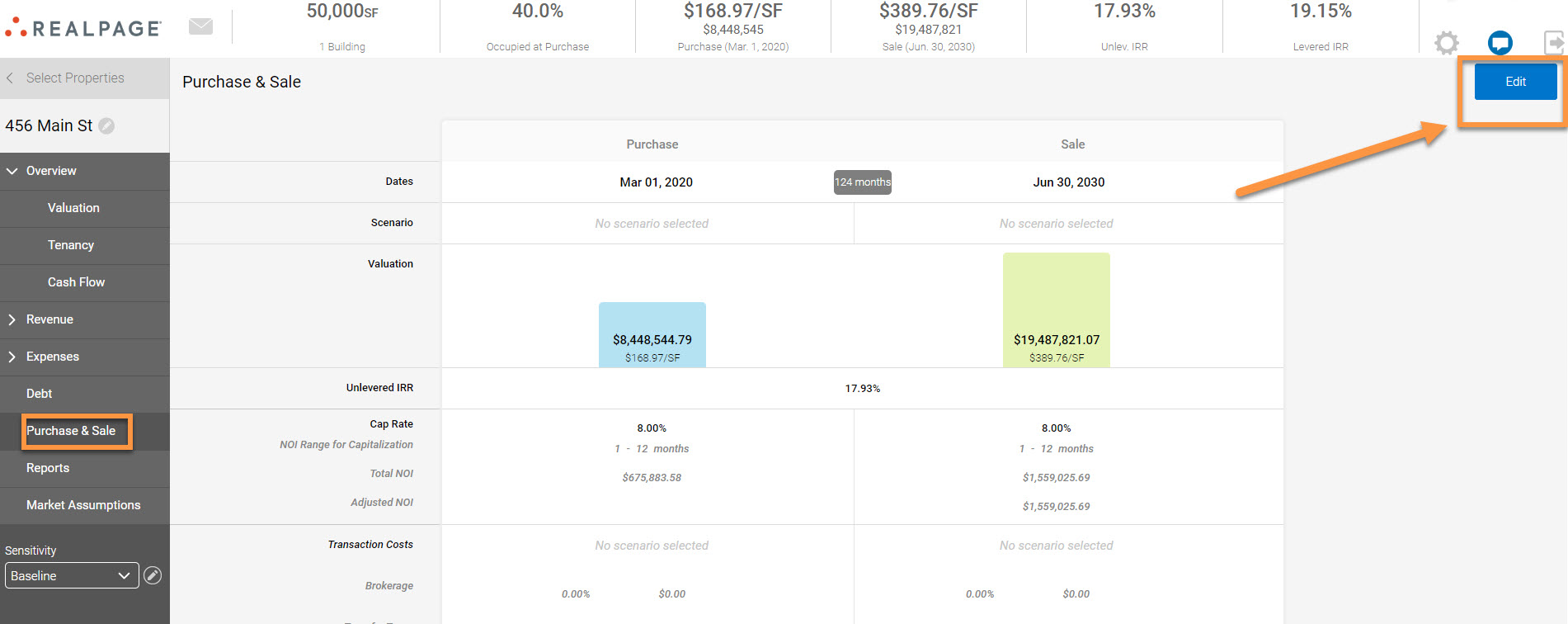
Here, you can enter in your purchase information and your sale information side by side.
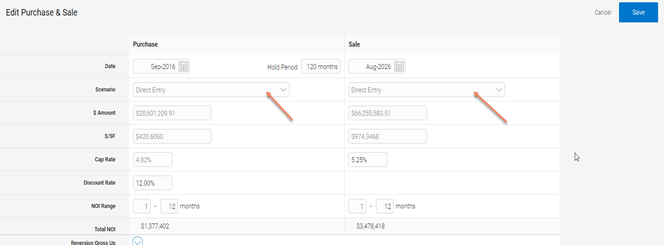
When entering in the Purchase or Sale information, there are multiple ways to directly input the numbers.
- Whole Dollar Amount;
- $/SF
- Cap Rate: for a direct cap analysis
- Discount Rate (Purchase Only): for a DCF analysis
For each method, the system will automatically calculate the $/Unit, Cap Rate, and Discount rate variable amounts.
You can also create scenarios based on a Cap Rate or $/SF that will be available across all assets.