Reimbursement Groups and Recovery Rules
Reimbursement Groups
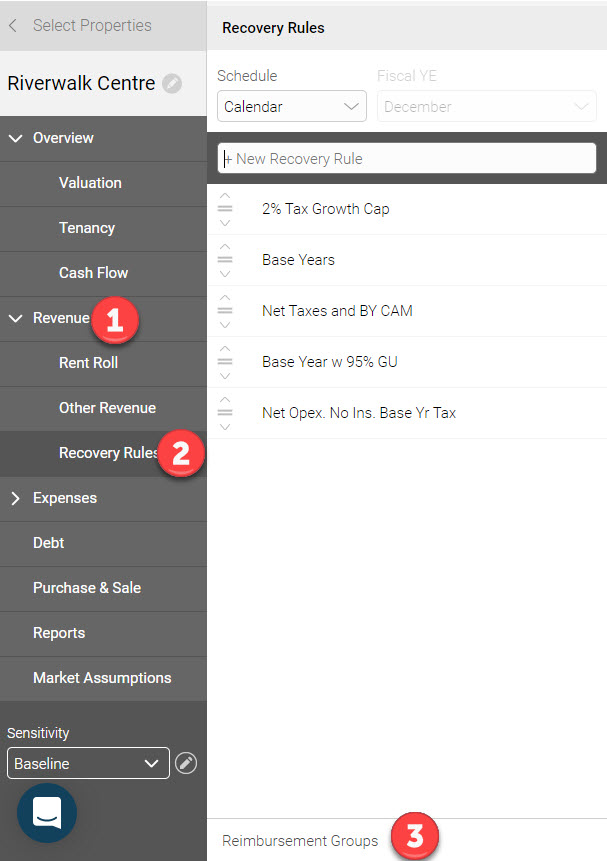
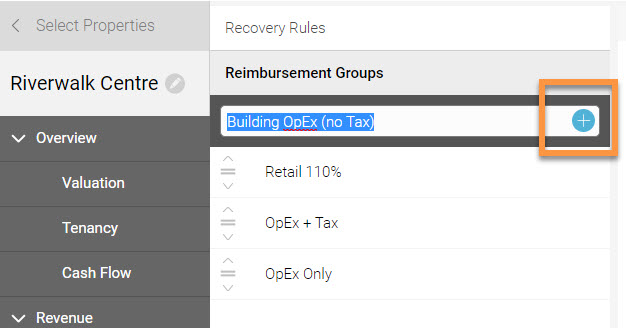
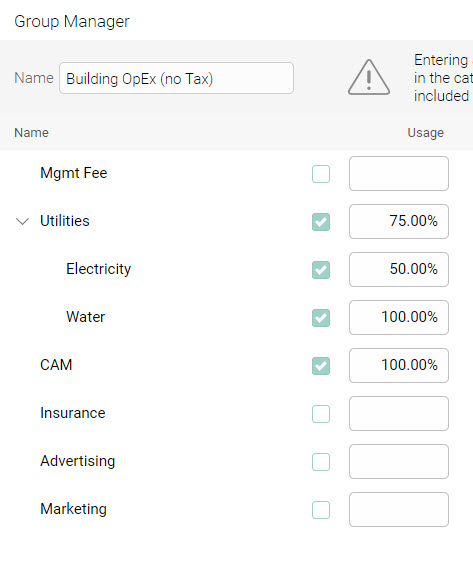
If applicable, setup Reimbursement Groups before creating Recovery Rules by clicking 'Revenue' then 'Recovery Rules' on the left navigation menu. Then select “Reimbursement Groups”:
Recovery Rules
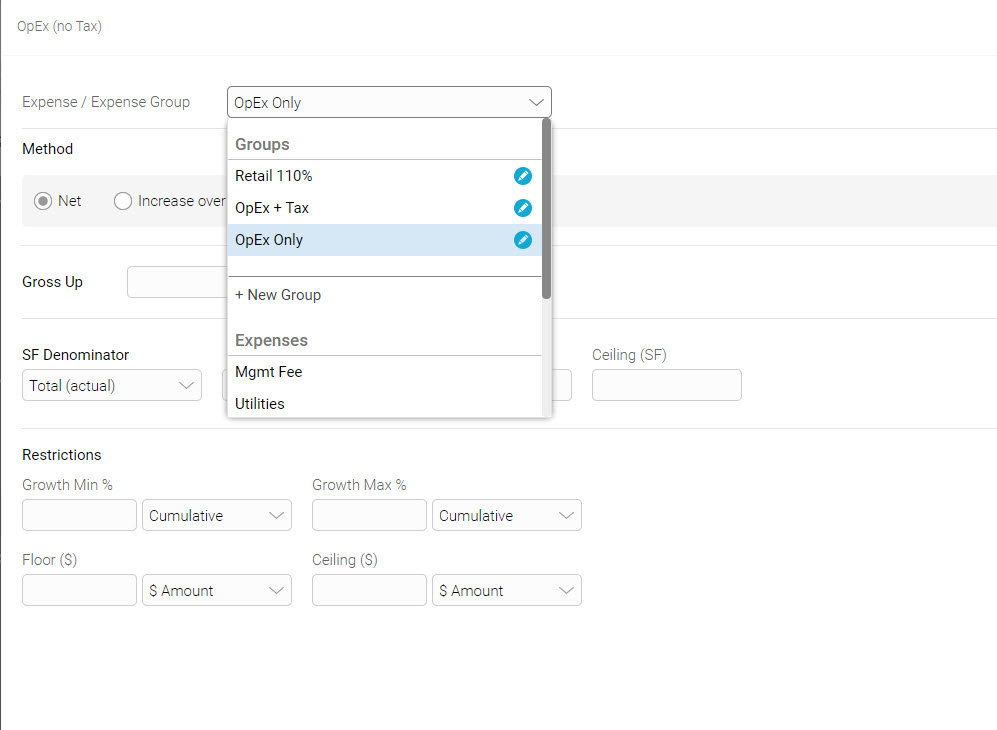
Method: Net
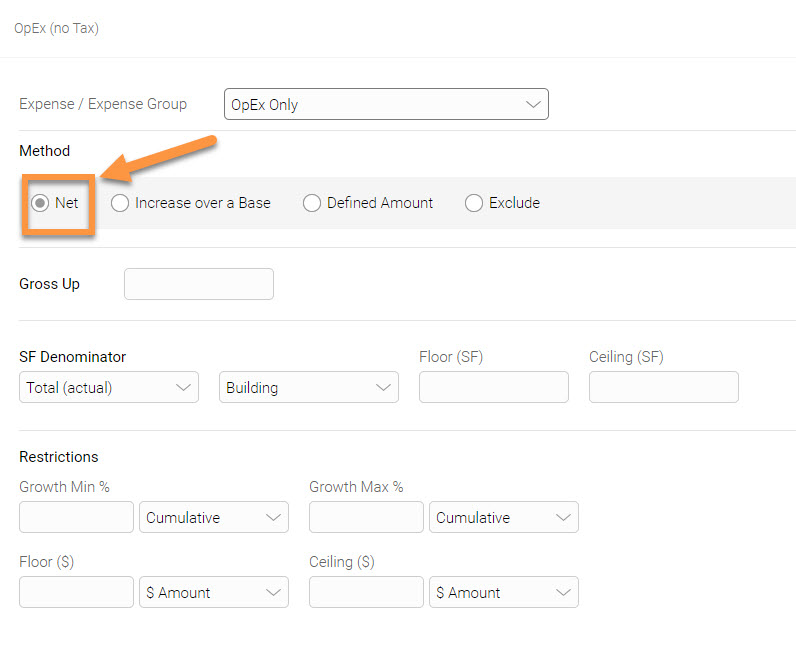
Additional Information:
-Gross Up: is 100% by default and used to gross up the selected variable expense(s)or expense group by a specific %.
-SF Denominator: is used to assign a denominator for expense calculation. The options are:
- Total (actual): Total NRA
- Total (as leased): Total in-place NRA
- Occupied (actual):Occupied NRA
- Occupied (as leased):Occupied in-place NRA
- Custom: Define a custom SF value for any year
- SF denominator can be bifurcated by type of space such as office, industrial,retail, and storage
-Floor: used to define the floor SF
-Ceiling: used to define the ceiling SF
-Restrictions: are used to apply growth (%), floor ($), and ceiling ($) restrictions
Method: Increase over a Base
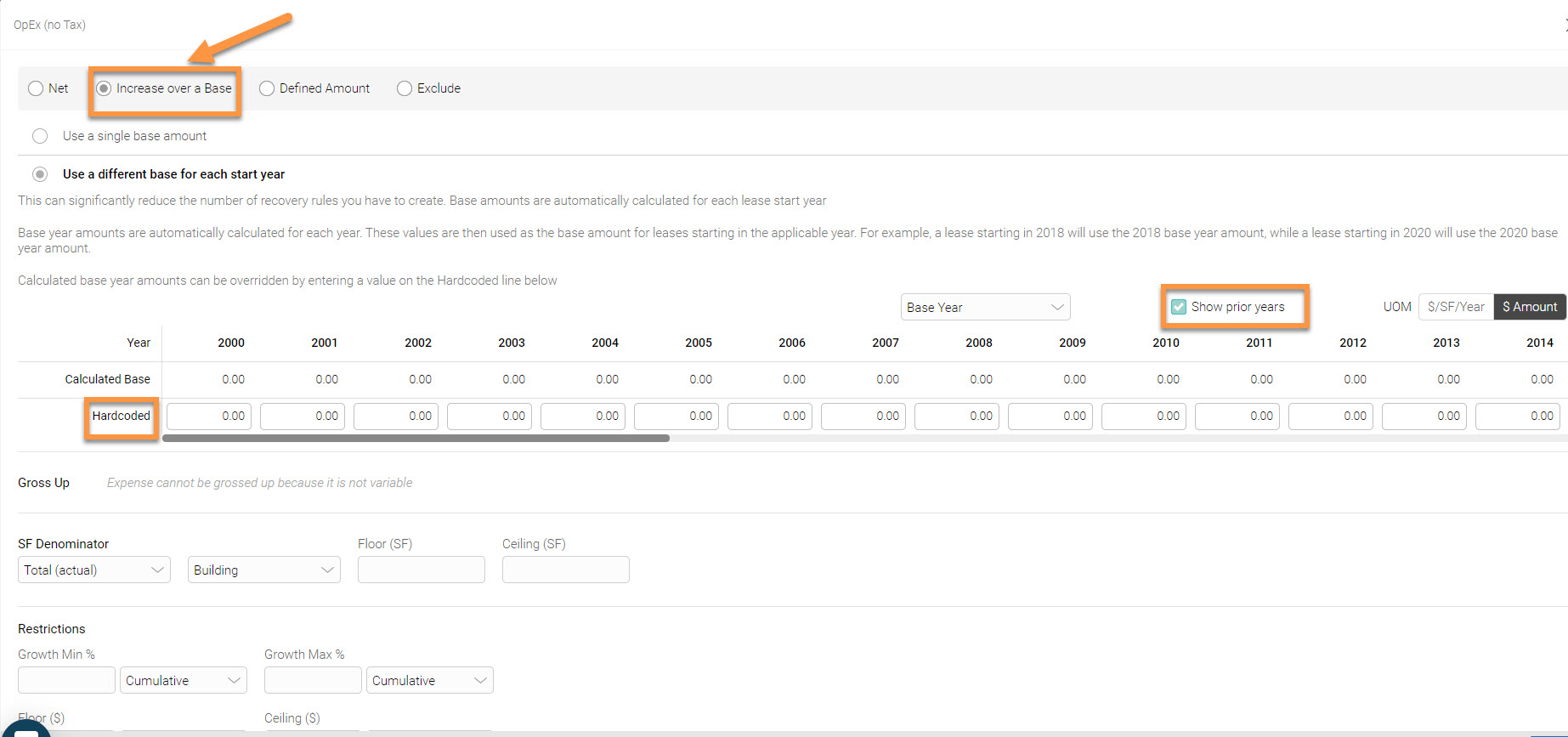
Additional Information:
-Show prior years: is used to assign a base stop amount to previous years
-Hardcoded: is used to override the calculated base year amount
-Gross Up: is 100% by default and used to gross up the selected expense or expense group by X%
-SF Denominator: is used to assign a denominator for expense calculation. The options are:
- Total (actual): Total NRA
- Total (as leased): Total in-place NRA
- Occupied (actual): Occupied NRA
- Occupied (as leased): Occupied in-place NRA
- Custom: Define a custom SF value for any year
SF denominator can be bifurcated by type of space such as office, industrial, retail, and storage-Restrictions: are used to apply growth (%), floor ($), and ceiling ($) restrictions
Pro Tip:
-Avoid the time consuming task of building multiple recovery rules for each year, and simply enter a single recovery rule that covers multiple base year amounts. For example, if a property has data starting in 2017 with leases that started in 2010, 2012, and 2014, then select 'show prior years' and enter the base year amounts in the ‘Hardcoded’ field for those years.
Method: Defined Amount
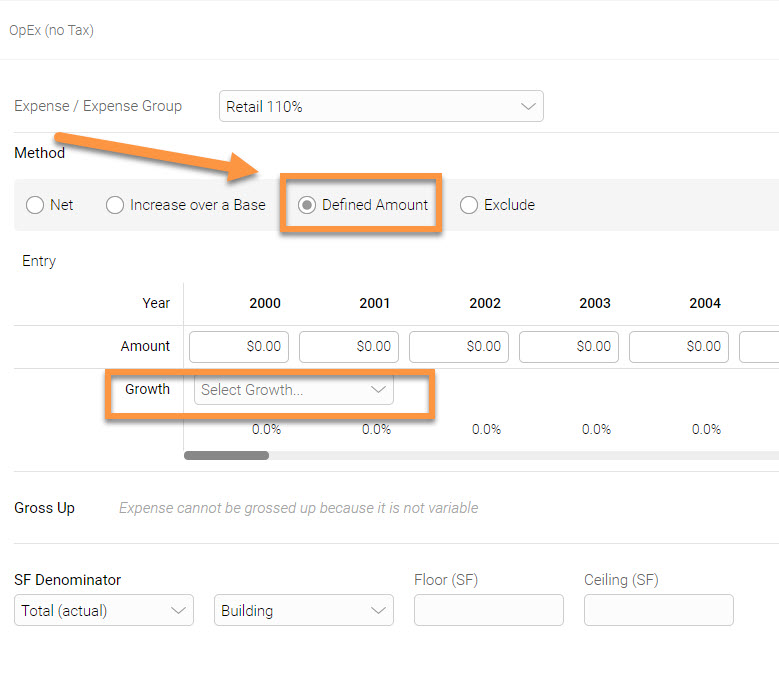
- Total (actual): Total NRA
- Total (as leased): Total in-place NRA
- Occupied (actual): Occupied NRA
- Occupied (as leased): Occupied in-place NRA
- Custom: Define a custom SF value for any year
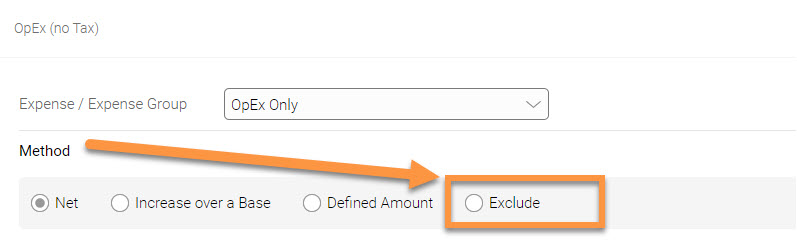
Method: Exclude