RealPage Business Intelligence (BI) Integration
Summary
The RealPage Business Intelligence (BI) Integration provides customizable dashboards and custom reporting so you can gain insight and clarity into performance across your portfolio. Immediately identify risk and opportunity, and access contextualized analysis, impacting the metrics that drive performance. Through our integration with RealPage Business Intelligence software, you can import your data to FUEL and work on your models!
How does it work?
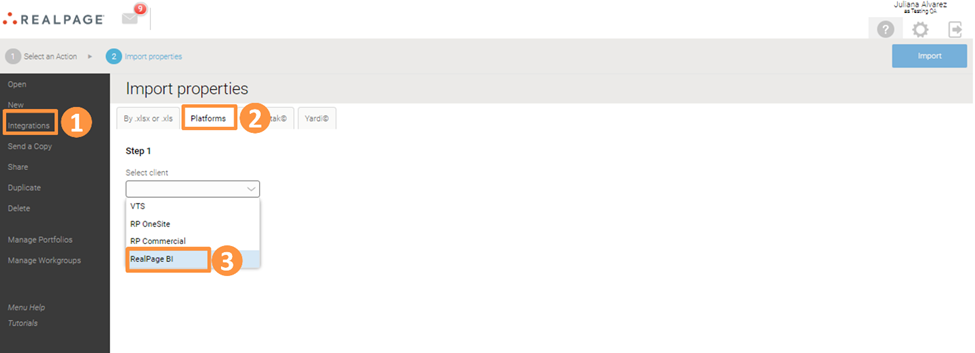
From the Homepage, go to Integrations and then click on the Platforms tab. Select RealPage BI from the drop-down menu:
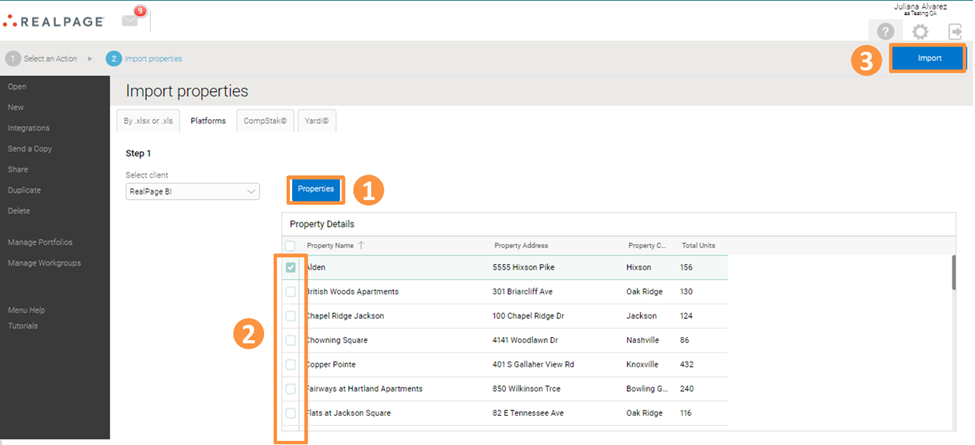
After selecting the Properties button, you will see a list of your properties in RealPage BI. Select the property (or properties) you wish to import, and then click Import in the upper right corner:
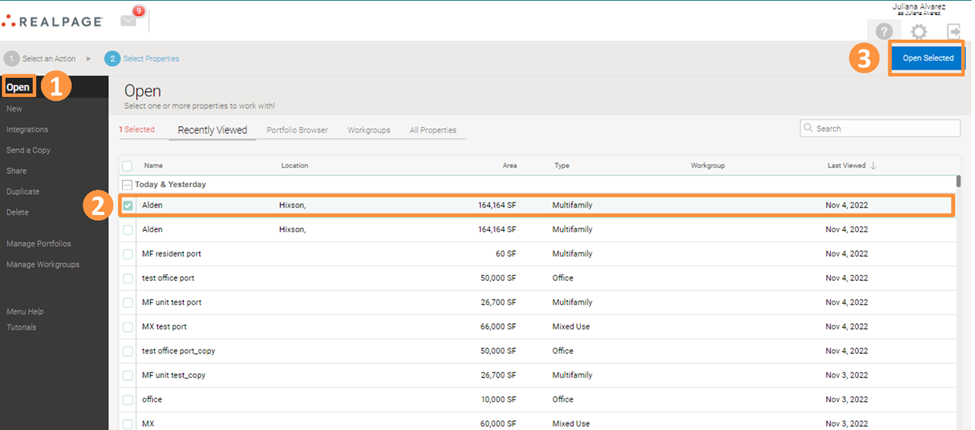
To see the imported property, navigate back to the Homepage and click on the Open tab. Select the imported property and click on Open Selected:
How do I get started?
If you are interested in using the RealPage Business Intelligence Integration with FUEL, please reach out to the Support Team at fuelsupport@realpage.com or Submit a Request!